
In 2025 – 2026 Grade Four students will attend Creative Computing classes two times a cycle in half groups for 45 minutes each time.
Data
How do you calculate a batting average? Who has the best batting average in the major leagues? We begin our data exploration by looking at Major League Baseball statistics.
Students go on to browse, sort and graph their own data that is collected from their peers through a Google survey. What board games, movies and books are most popular among Third and Fourth Graders? As they search a Google Sheet according to more than one criteria, students employ Boolean logic. Do any fourth graders have the same favorite movie and book as I do? They also make predictions. Student generate graphs will show this year’s most popular ice cream flavors, colors and movies. Discussion of data privacy and how to keep one’s personal information safe are also part of this piece of the data curriculum.
AI Awareness
In a new unit about Artificial Intelligence, students use machine learning tool, Google’s Teachable Machine to train the computer to distinguish between the work of different artists. Witnessing the errors the this machine learning tool can make introduces the critical role that bias can play in the way that machines learn.
Grade 4 students also learn about such AI inventions as self driving cars, AI enhanced stuffed toys, and AI for helping protect endangered species or providing a person who suffers from paralysis with a new way to speak. During this lesson, students are encouraged to read and research one of the developments that is introduced. Working in groups, they come up with a list of pros and cons for the invention they choose.
Scratch Programming
Fourth Graders become proud of the Scratch Maze games they build and the toys they re-imagine with Micro:bits. These two in-depth projects are central to Fourth Grade Creative Computing.
Maze Games
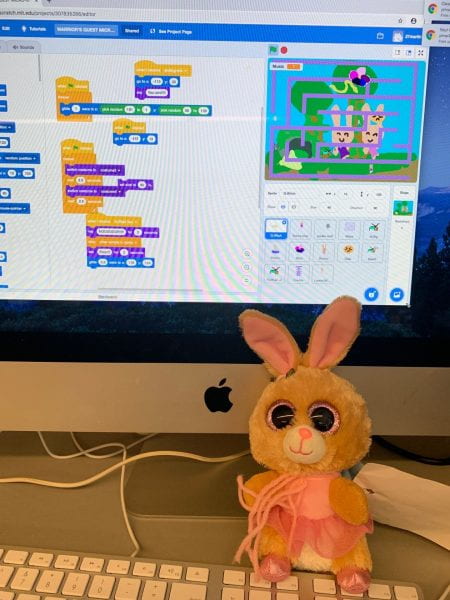
The game unit builds on programming concepts taught in Third Grade. First, students bring their unique mazes, heroes, obstacles and backgrounds into Scratch to build their own imaginative world. With Scratch code, they command their heroes to move with the arrow keys, and their obstacles to travel according to x y coordinate grid. With Scratch’s broadcast features and if statements, students construct a “magical” key that unlocks a door. When they program their original soundtrack to change at different stages of the the action, students discuss copyright and fair use. Use of a timer introduces variables.
By bringing unique art, animation and musical composition to computational thinking, students to combine their creativity and passions with step-by-step problem solving. When they help on another debug their code, students generate their own collaborative learning environment.
At the conclusion of this unit, the games become part of a Scratch studio where they and their families can play each other’s games
Micro:bit Toy Project
For the Micro:bit toy project, students re-imagine familiar stuffed toys. They create a character inspired by the original toy in Scratch. Then, by inserting a micro:bit chip or engineering a way to attach it to the toy, the toy can communicate, via Bluetooth with the drawn toy in the Scratch program. When the physical toy is shaken, or when it jumps, its accompanying digital character tells its story, dances and sometimes sometimes even sings. Start saving your gently used stuffed toys for this endearing unit!
Choice
During choice classes, students are encouraged to explore many hand-on possibilities that enliven our Creative Computing space, including:
Sensing with the Finch Robot
Teaming up to build marble run structures
Designing with applications such as ProCreate (on iPads ) and Tinkercad
Cutting coded geometric shapes with the Cricut Maker
Exploring AI with Google’s Teachable Machine